

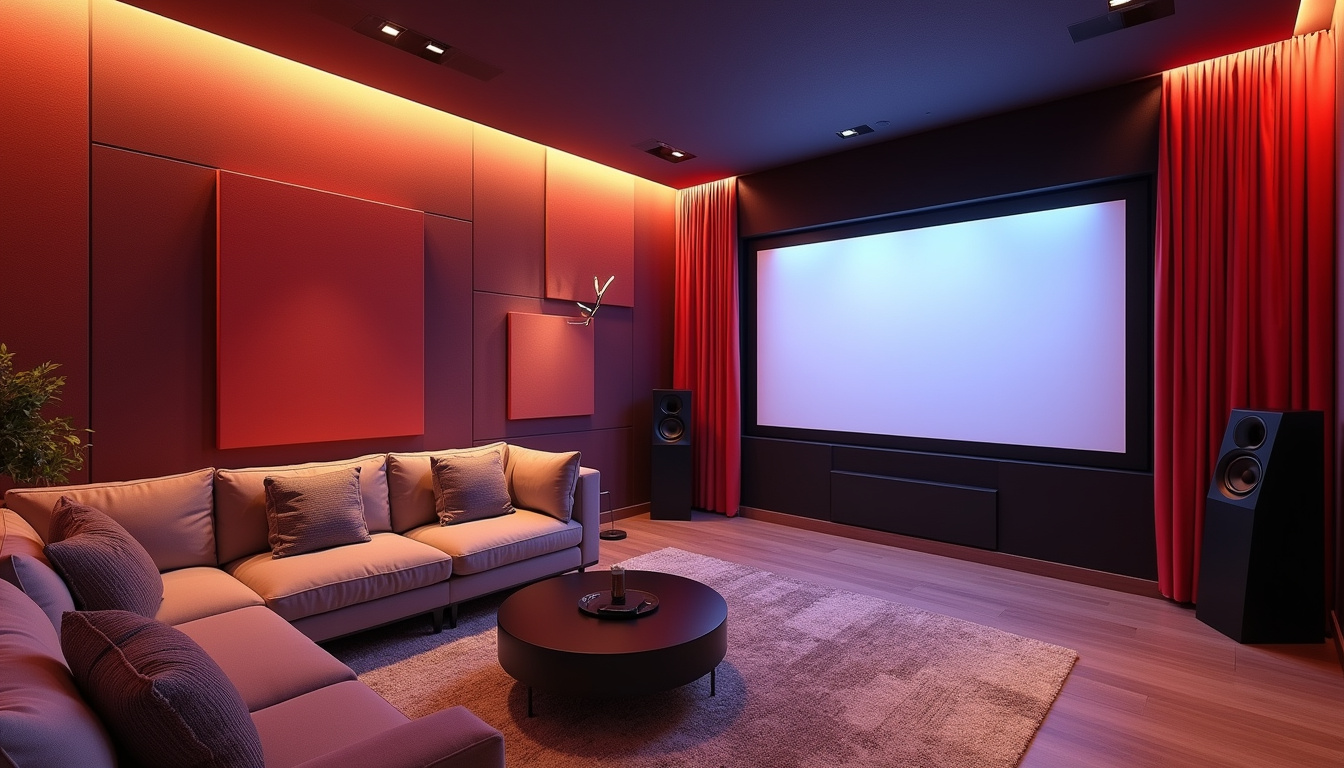
Want a cinema-grade experience without leaving the house? A smart home theater brings crisp visuals and room-filling sound into any space. In this guide you’ll learn practical, budget-aware home theater techniques—from screen selection to speaker placement—that professional installers use to create an emotional, immersive viewing experience.

Plan your space and layout
Before buying a single component, map the room. Measure width, length, and ceiling height and mark where the screen and seating will go. Basic geometry will tell you optimal viewing distance: for 4K content, sitting closer to a larger screen improves immersion, while smaller rooms benefit from smaller screens or short-throw projectors.
Remember that a dedicated home theater space performs best, but many excellent setups live in multi-purpose rooms. If your room doubles as an office or playroom, choose retractable screens, compact speakers, and flexible seating that folds or stores easily.
Choose the right display: TV vs. projector
The display defines much of the experience. TVs deliver bright HDR images with easy setup and great black levels on high-end OLEDs; projectors create a more cinematic scale at a lower per-inch cost but require a darkened room and careful placement.
Key decisions:
- Ambient light: If you can’t fully control light, favor a high-brightness TV or a laser projector with high lumen output.
- Screen size: Use viewing-distance rules (roughly 1.5–3× screen height) to choose a size that fills the field of view without causing eye strain.
- Resolution and HDR: Aim for 4K and HDR10/HLG/ Dolby Vision support if possible.
For detailed, regularly-updated buying guidance on TVs and projectors, consult a trusted source like CNET (https://www.cnet.com/tech/home-entertainment/).
Sound system secrets that deliver impact
Picture quality gets attention, but sound creates emotion. Don’t skimp on audio—sound is half the cinematic experience in any home theater. Even modest upgrades can dramatically improve clarity and immersion.
Choose a configuration that matches your room and budget:
- 5.1 delivers solid surround imaging with a center channel for clear dialogue.
- 7.1 adds width and depth for larger rooms.
- Dolby Atmos or DTS:X (adding overhead or height channels) gives immersive vertical dimension, especially for action and effects-heavy content.
Placement matters:
- Center channel: Place directly under or above the screen, angled toward ear height if possible.
- Front left/right: Form an equilateral triangle with the main seat.
- Surrounds: Slightly behind and to the side of the listening position, elevated 2–3 feet.
- Subwoofer: Try multiple locations; low-frequency energy interacts with room modes. A corner often increases bass, but placement tests reveal the smoothest response.
Budget-friendly tips: A soundbar with a separate sub and rear satellites can approximate surround sound with less wiring. If you choose separate components, room correction software built into receivers (e.g., Audyssey, Dirac, or proprietary systems) is invaluable.
Seating, lighting, and acoustics
Comfort and control are as important as speakers and screens. Seating should be positioned for both sightlines and sound, with a slight rise if seats are staggered. Materials matter: leather reflects high frequencies; fabric absorbs them. Combine soft seating with rugs and curtains to tame reflections.
Lighting:
- Blackout curtains and dimmable lights let you control contrast and immersion.
- Bias lighting behind the screen reduces eye strain and improves perceived black levels when set to a neutral white.
Acoustic treatment:
- Treat first-reflection points on side walls (use panels, bookshelves, or heavy curtains).
- Bass traps in corners smooth low-frequency peaks.
- Diffusers on the rear wall preserve liveliness without echo.
Wiring, streaming, and easy control
Reliable wiring and a streamlined control system keep your home theater enjoyable. Run HDMI 2.1 cables for future-proofing (4K/120Hz, VRR, ALLM) and use labeled cable runs to simplify troubleshooting. For multi-device setups consider an HDMI matrix or an AV receiver with enough inputs.
Network streaming now dominates sources—ensure your Wi‑Fi or wired Ethernet is robust. Many streamers and smart TVs support Dolby Vision and Atmos passthrough; verify formats before buying.
Automation:
- Program scenes (e.g., “Movie” dims lights, closes curtains, turns projector/TV on).
- Use a universal remote or a smart home controller to hide complexity. Simple user experience is what makes a great home theater feel like magic rather than a tech workout.
Quick setup checklist
- Choose a screen size that fits your viewing distance.
- Decide TV vs. projector based on ambient light and ceiling height.
- Plan speaker layout (5.1 minimum; Atmos for height channels) to suit your home theater room.
- Treat first-reflection points with soft materials and add bass trapping in corners.
- Use quality HDMI cables and label runs; secure power and surge protection.
- Calibrate picture and run audio room correction before final adjustments.
Common mistakes to avoid
- Overbuying size without checking sightlines or seating depth.
- Ignoring room acoustics—untreated rooms can ruin even expensive speakers.
- Cheaping out on a center channel (dialogue clarity suffers).
- Forgetting to test subwoofer placement—bass can be wildly different across a room.
FAQ
Q: How do I start a home theater setup on a budget?
A: Prioritize screen and sound. Buy a reasonably large TV or a used high-brightness projector, pair it with a good center channel and a powered sub, and choose either a modest AV receiver or a capable soundbar. Add acoustic improvements (rug, curtains) before spending more on speakers.
Q: What components make a solid home theater system?
A: A balanced kit includes a quality display, a reliable source (streamer or Blu‑ray), an AV receiver (or soundbar + sub), front/center/surround speakers, a subwoofer, and room treatment. The matching and placement of these components often matters more than raw price.
Q: What’s the best home theater design for a small room?
A: Use a short-throw projector or a large, narrow-bezel TV to maximize screen size without crowding. Compact 2.1 or 5.1 speaker layouts, careful sub placement, acoustic panels on side walls, and controlled lighting will create a focused, punchy experience in a small footprint. With careful treatment, a compact home theater can feel larger and more immersive than its dimensions suggest.
Authoritative reference
For up-to-date gear recommendations and in-depth reviews of TVs and projectors, see CNET’s home entertainment guides (https://www.cnet.com/tech/home-entertainment/).
Ready to build your ideal setup?
Transforming a room into cinematic bliss is about planning, balancing picture and sound, and treating the room itself as part of the system. Whether you start with a modest soundbar and blackout curtains or go all-in on a 7.1+Atmos rig, follow these home theater setup secrets to get the most impact for your budget. If you’re ready to plan your layout or want a checklist customized to your room, start today—measure your space, pick your primary screen, and test speaker placement. Your best movie night is just one smart decision away.